Look Stylish
Automating a personal styling service so it could scale
Tuesday is a start-up owned and incubated by M&S. It had become profitable and was starting to shift the perception of M&S clothing — showing the younger end of the customer demographic that the clothing could be put together stylishly. To survive in a fast-moving market the business had to grow, and the service was still almost entirely manual.
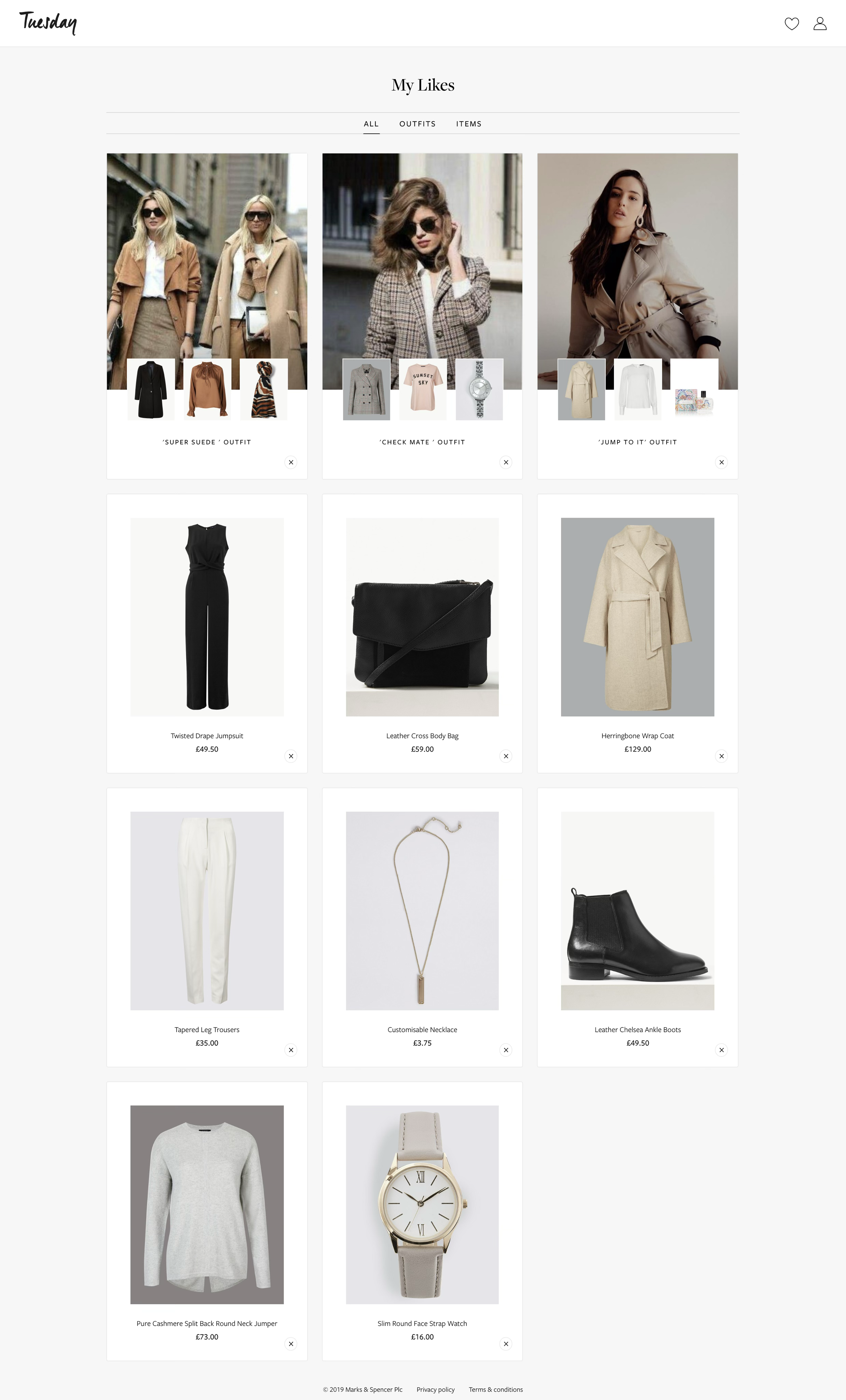
The problem — members unsubscribing
Members were leaving, and most of the reasons were ours to fix. 35% left because the edit they were sent was unsuitable — it didn't account for their style, clothing or body-shape preferences — with feedback going unheard and browsing friction close behind. Personalising to that level meant automating the actions taken from user feedback.
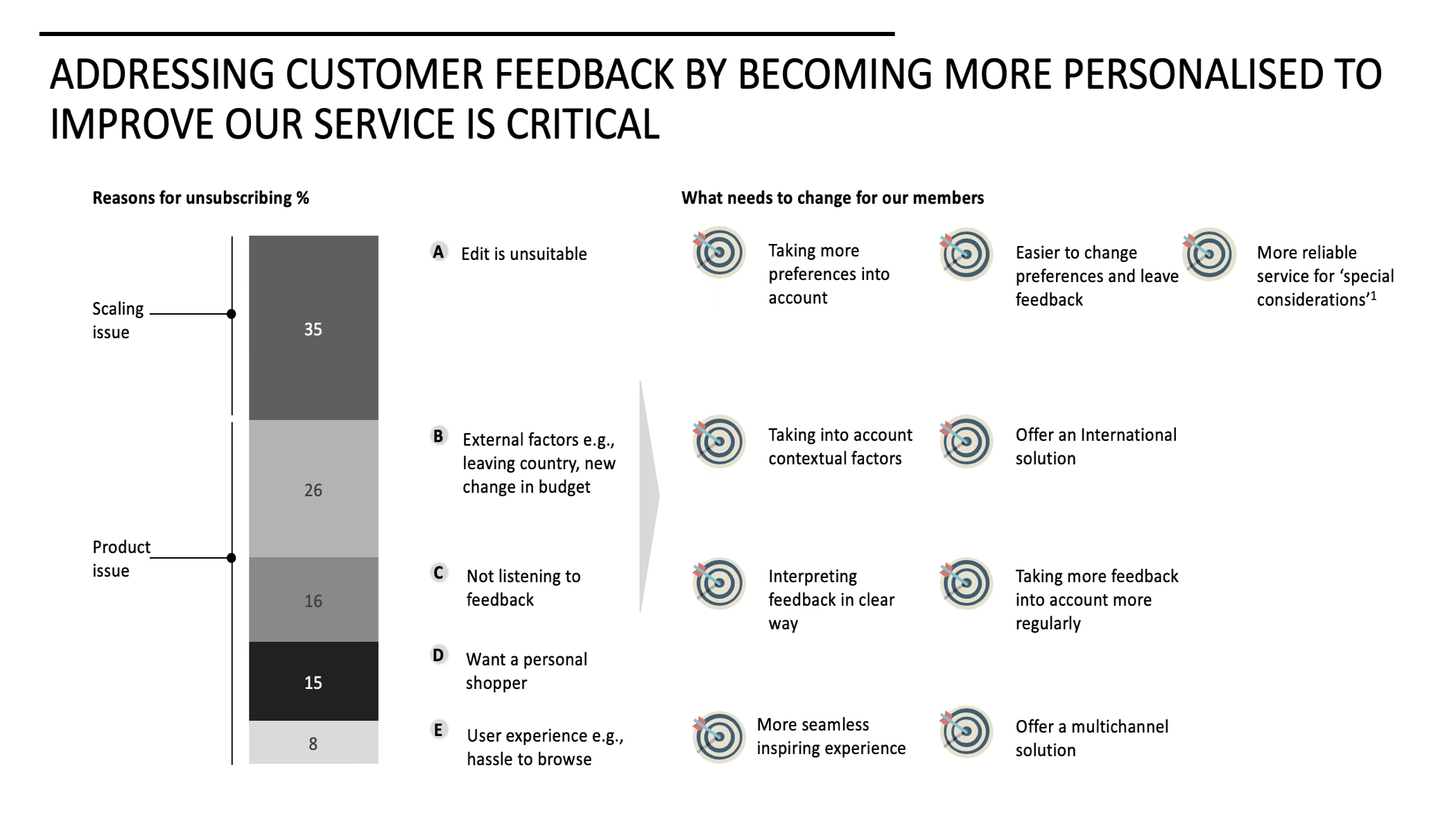
The reasons members unsubscribed — an unsuitable edit at 35%, then external factors, feedback being ignored, wanting a personal shopper and browsing friction — each mapped to what had to change.
User surveys
Further research into how users behave inside the service decided how we'd improve the experience.
Why sign up?
The main reason people subscribed was inspiration for new clothing choices — which let us tailor the content we gave them to what they were actually there for.
How users actually behave
After receiving style advice, users had a brief window to feed back on the outfits their stylist suggested. Measuring how many words they typically wrote — among other insights — shaped an interface that fits how they really respond.
How far out of their comfort zone are people willing to go with a new outfit?
I interviewed members and found it varied wildly — from those who stick to what they know, to those who wanted the service to 'remake' them as a person. We put a gauge in the settings so users could choose how outlandish their stylist was allowed to be.
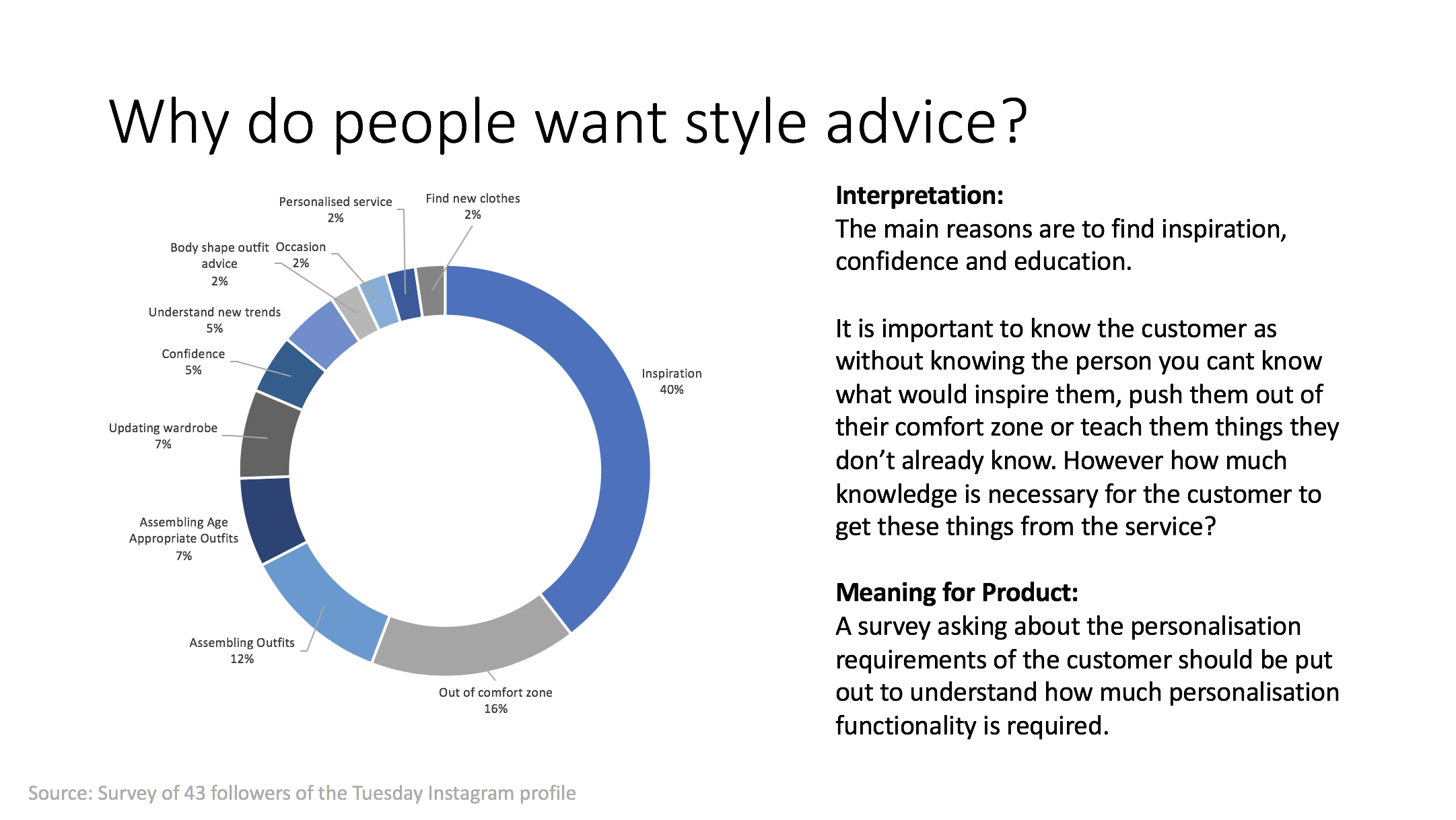
Inspiration dominated at 40%, then being pushed out of their comfort zone and help assembling outfits — the reasons that set how much personalisation the product actually needed.
Machine learning
Before machine learning could decide which outfits and items to show an individual, we had to define the actions that affect a user's profile preferences.
Sketching how the product learns
An early drawing describing how disliking a product alters the score of that product's attributes within the user's profile — which then changes what the stylist sends in future suggestions.
Working with AI experts
In Confluence I documented every action across the website (and the subsequent app) that influences a user's preference scores. Our AI expert took that list and built it into the system.
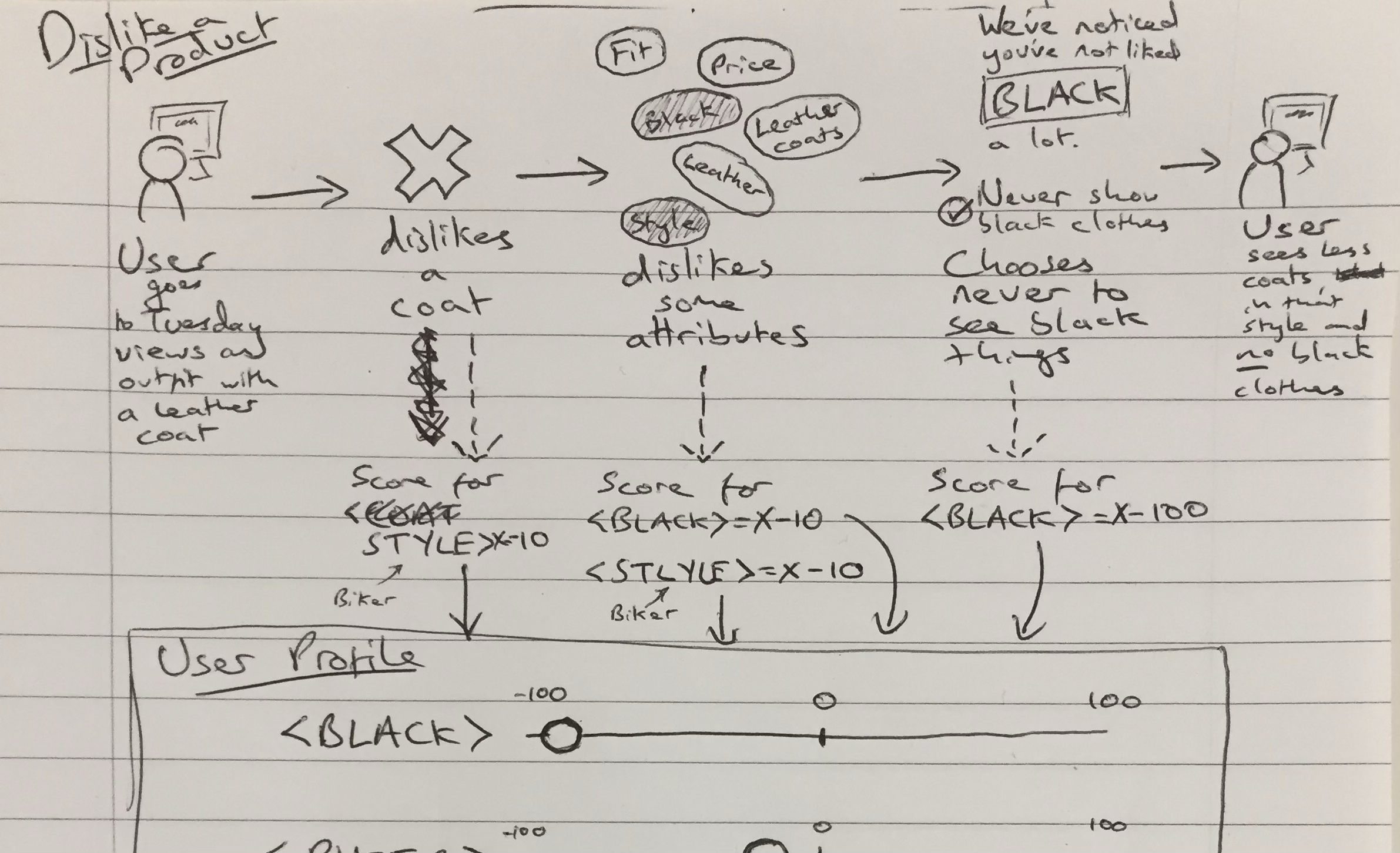
The original sketch: dislike a leather coat and the style score drops ten points; dislike the colour and black drops too; opt out of black entirely and it drops a hundred — every attribute a slider from −100 to 100 in the user's profile.
Competitor analysis
I analysed direct and indirect competitors to understand their offering — both the product and the business model behind it.
The main competitor
Thread was the most advanced product available, though men's fashion only at that time. Analysing it sped up finding our own improvements considerably.
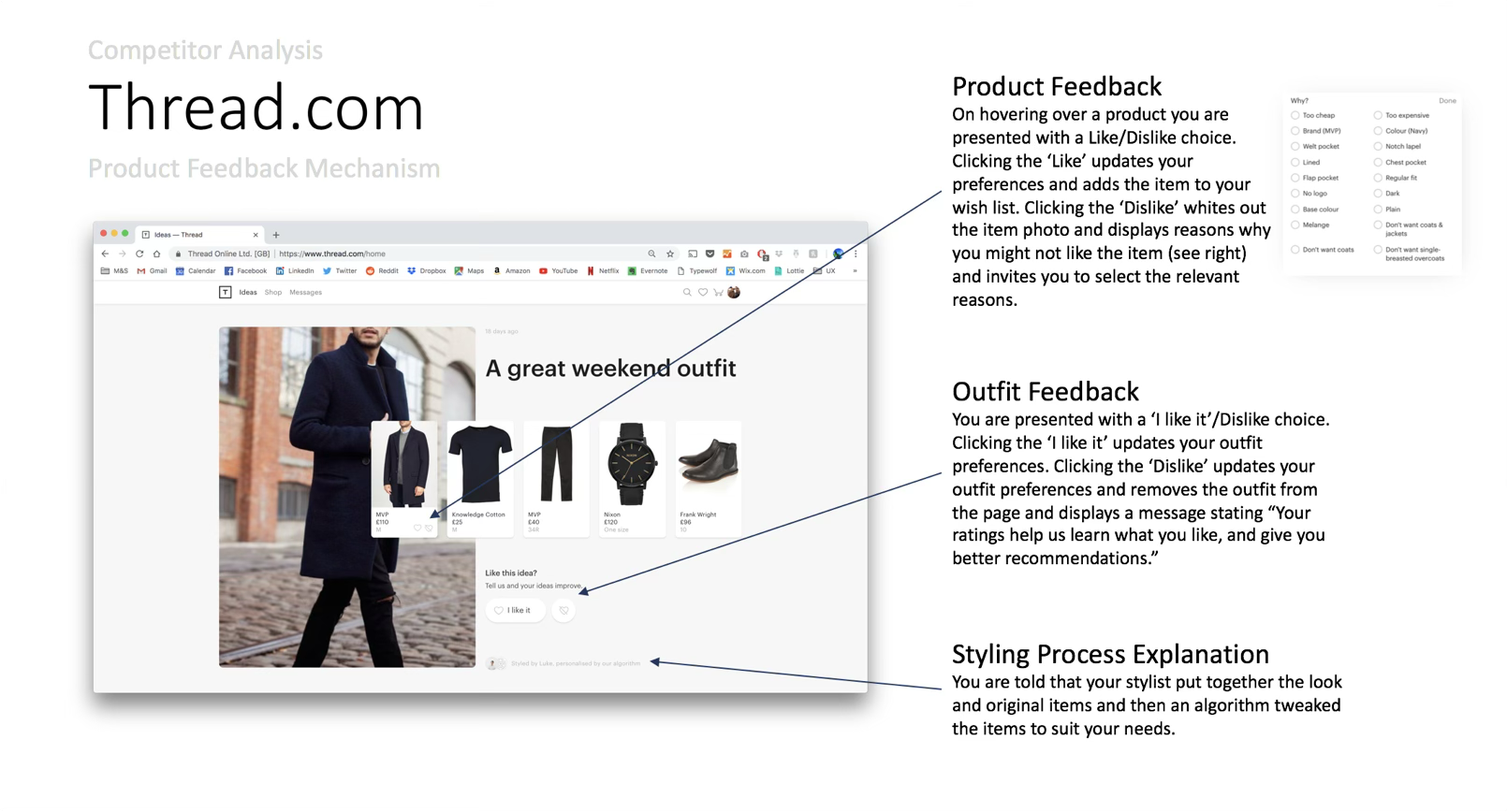
Thread's feedback mechanism pulled apart: a like/dislike on hover, a structured “why?” list behind the dislike, outfit-level feedback under the look, and a line telling you a stylist picked it and an algorithm tuned it.
Back-office system
The other half of enabling personalisation: a back-office system where ingested M&S clothing items could be tagged, both automatically and manually.
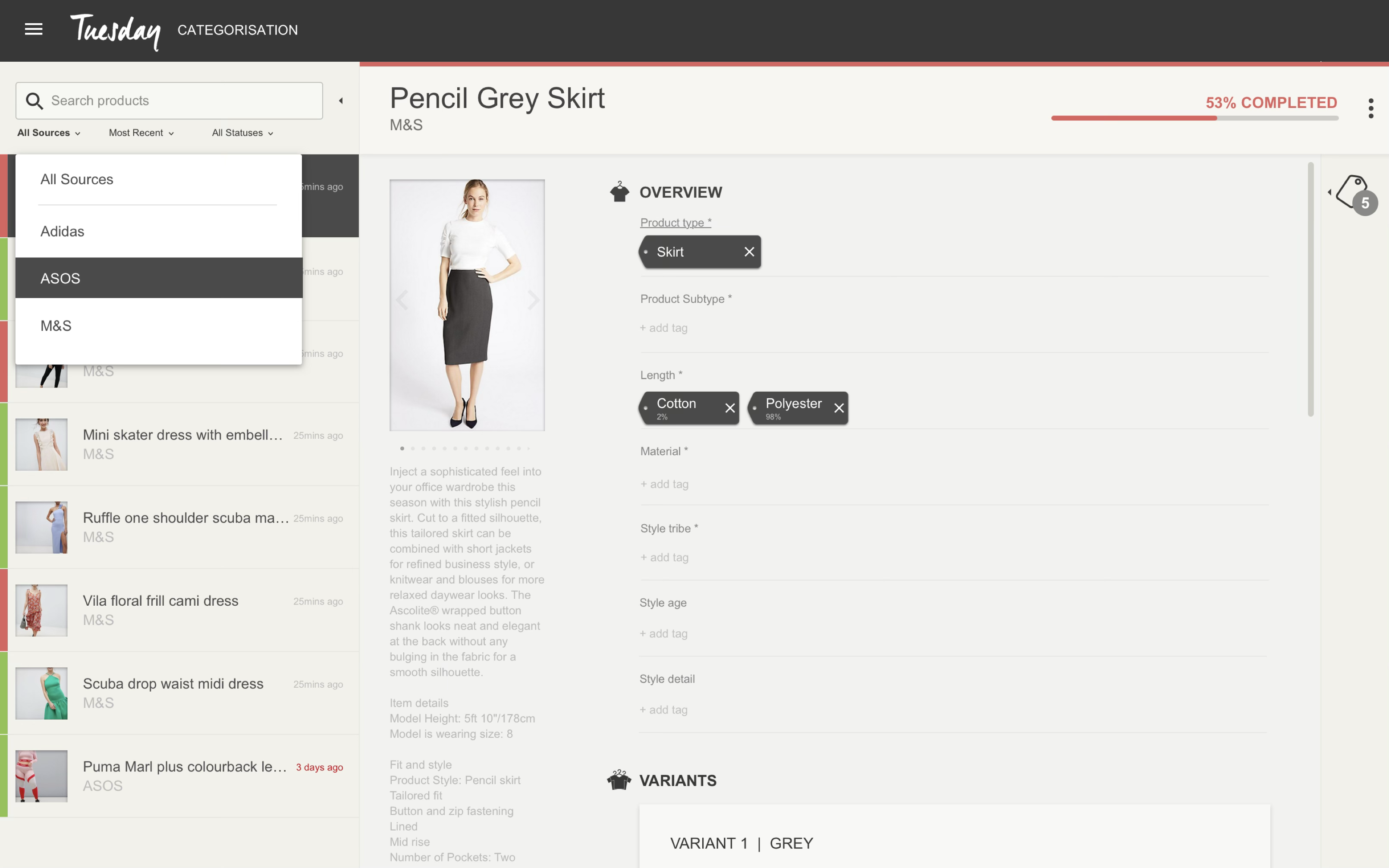
The categorisation tool: items ingested from each source into a queue, then tagged field by field — product type, material, style tribe, style age, style detail — with a completeness score so taggers know what's left.
Web app designs
The designs had to feel luxurious yet functional, so members got a sense of the quality of the products on show while still doing three things easily.
Do users want to click through to a month's outfits in one place, or just scroll everything suggested since they joined?
Two detailed, content-heavy prototypes answered it. Users didn't much care which month or time of year an outfit belonged to — they wanted to scroll indefinitely and soak up the inspiration.

Scroll back through every outfit the stylist has sent, newest first, each with per-item and whole-outfit feedback.

One piece out of the six, with the stylist's reason for choosing it — and alternatives if it isn't right.
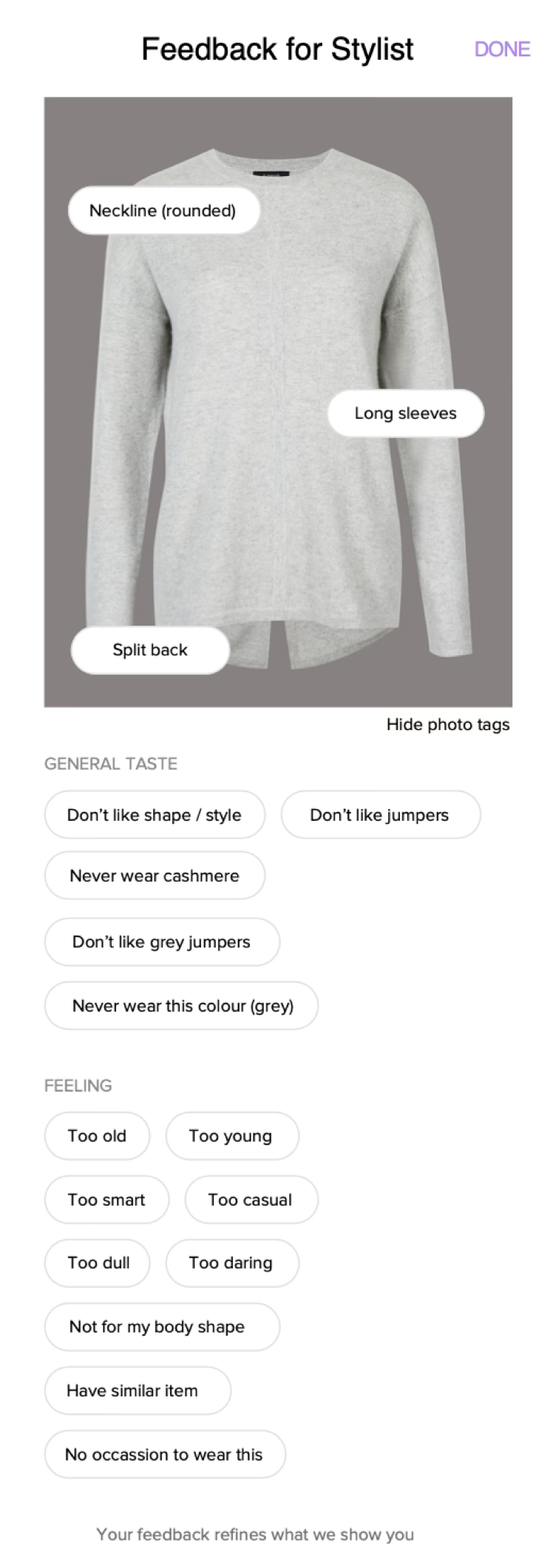
Behind a dislike: tags on the garment itself, then structured taste and feeling reasons that move the profile scores.
Usability testing
To understand how people actually used the application I ran remote interviews, shadowing, surveys and multivariate testing against live analytics. Userzoom let us run in-depth testing fast, with members and non-members, to judge how usable the prototypes really were and make effective changes.